Features · Skysa Notes
Copy here, paste there.
Every device connected to the same storage account shares one clipboard. Paste text, a picture or a file into it on your phone and it is on your laptop within seconds, and the other way around. It travels through your own Google Drive or Dropbox, so nobody else holds it.
How it works
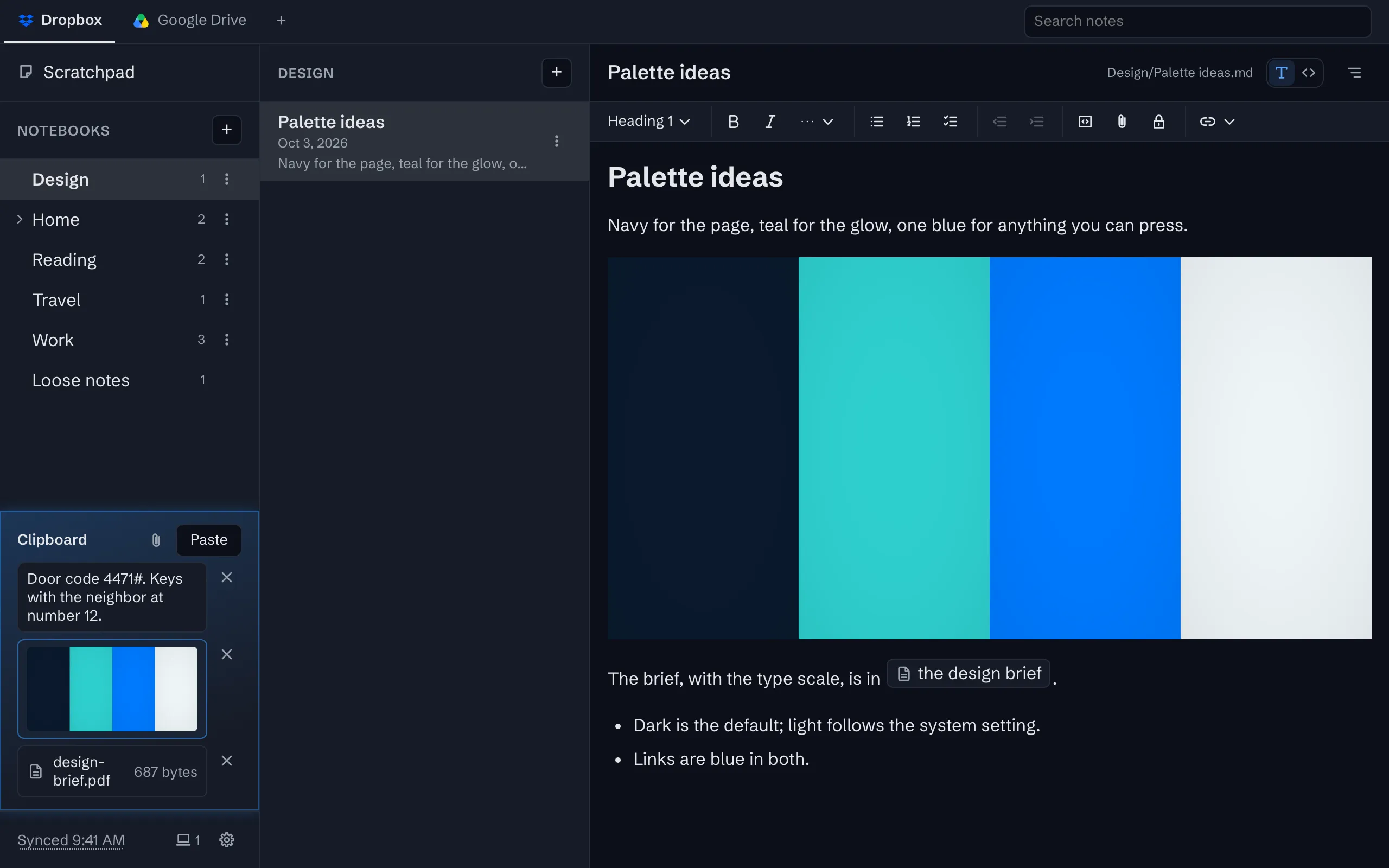
Choose Show clipboard in a connected account’s storage menu, and a clipboard appears above the storage line, on that device and on every other device connected to the same account. Paste into it, drop files onto the window, or use Add a file. On Android and ChromeOS, share text, a link or a file to the installed app from any other app and it lands there too. On your other devices the item appears within a second or two, or a few on Google Drive, while the app is open.
Press an item to use it: text and pictures go back to that device’s system clipboard, ready to paste anywhere, and a file is saved. The clipboard keeps the last ten items, newest first, and pasting something that is already there moves it to the top.
What it holds, and where
Text, pictures and files of up to 25 MB. Each item is a file in a hidden folder inside the app’s folder in your own Google Drive or Dropbox, so what you copy is as private as your notes: it goes from your browser to your storage and never through our servers. Removing an item removes the file.
Between any two devices
It works wherever the app runs, which is any modern browser: an Android phone and a Windows laptop, an iPhone and a Mac, a Chromebook and a desktop. The devices need not be from the same company, be on the same network, or be signed in to the same account with anyone but your storage provider. Where the system’s own clipboard sharing stops at the brand’s edge, this one does not.
What it is not
It is not automatic: you paste into it on purpose, rather than everything you copy being sent somewhere. It needs a connected storage account, which is what a subscription is for. And on an iPhone there is no share sheet target yet, so you paste into the app rather than share to it.
What you get
A clipboard your devices share
Copy on your phone, paste on your laptop: text, pictures and files, within seconds, through your own storage.
Made for your phone
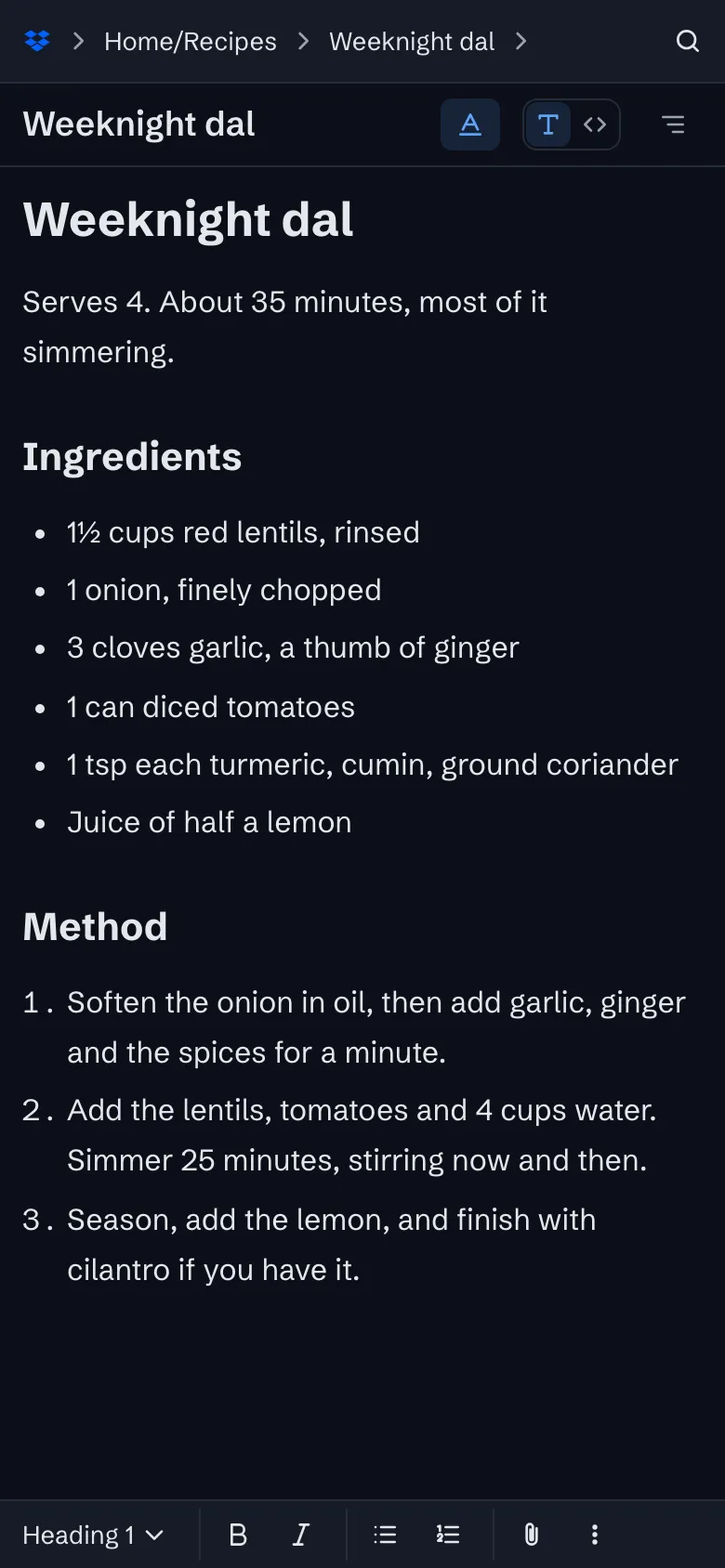
Install it from the browser, format with one tap, share anything to it. The same files as your laptop.
Changes arrive in seconds
A device that has saved a change tells your other devices, which update within a second or two.
Sync through your own Google Drive or Dropbox
Your notes live in one folder in your own storage account, as plain files, and every device syncs with it.
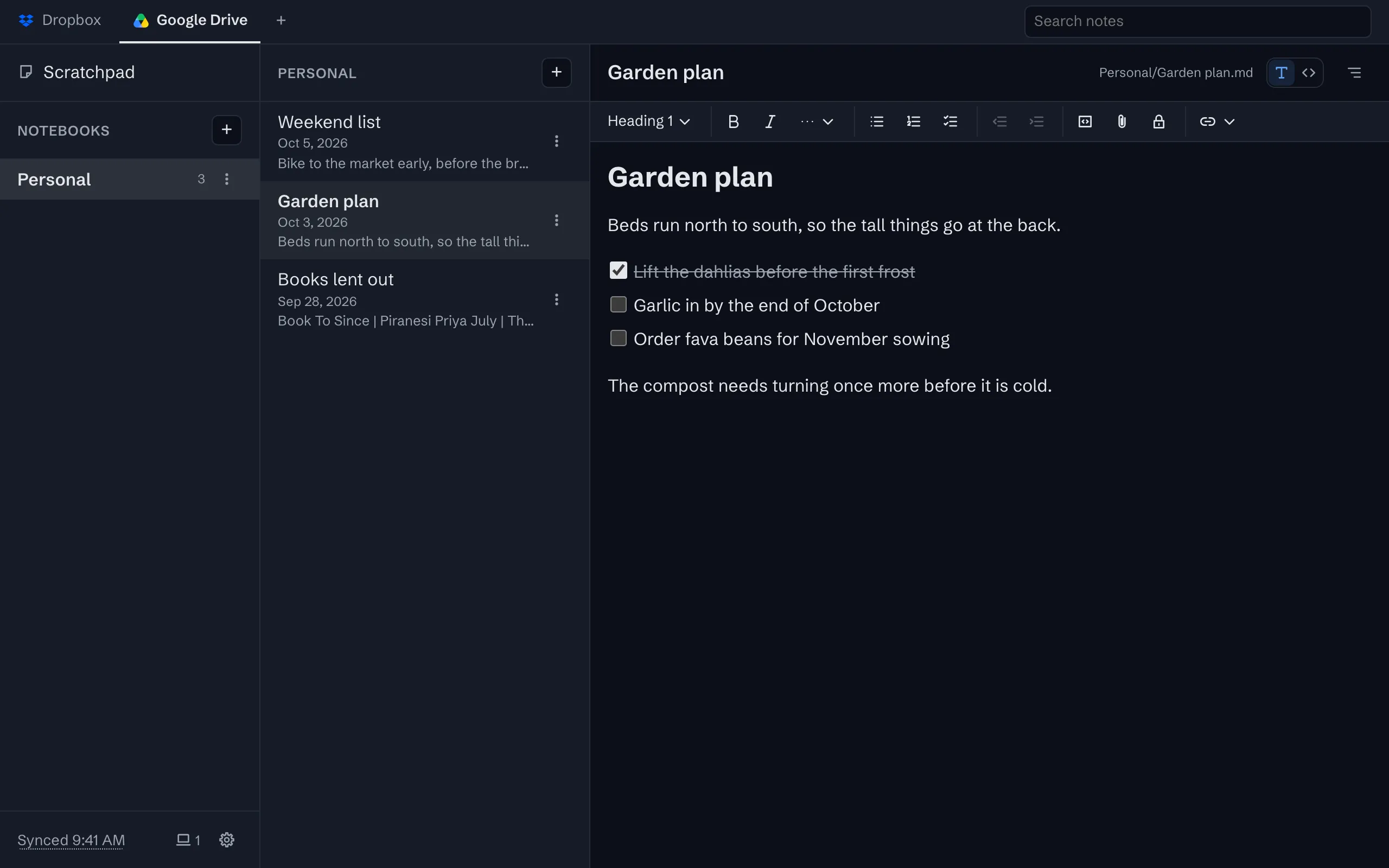


The whole tour has the rest, with screenshots.
Try it
The app is free on one device, with no account to create. Sync is $1 a month or $10 a year, after a 30-day trial with no card.